

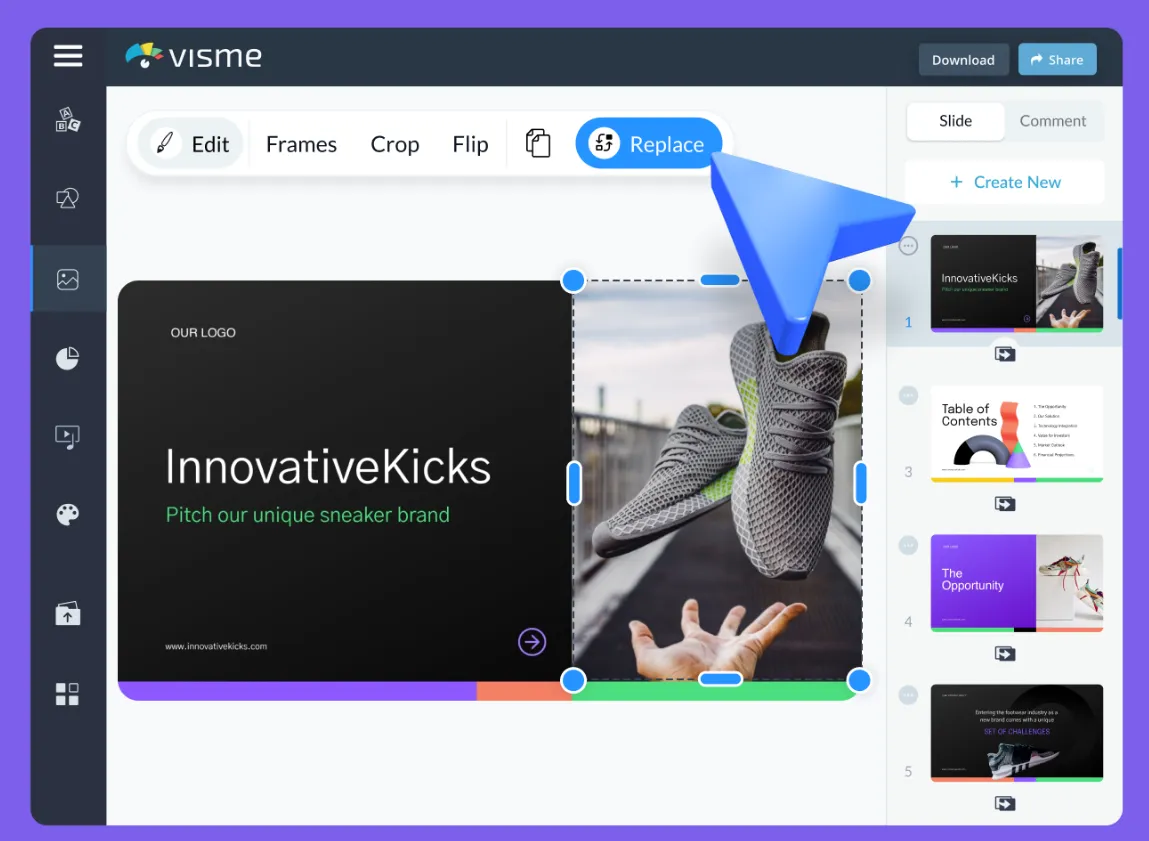
In today’s fast-paced digital world, AI presentation makers are revolutionizing how professionals, students, and businesses design stunning and impactful presentations. Gone are the days of spending hours formatting slides, selecting color schemes, and arranging visuals. With the help of artificial intelligence, you can now create engaging, data-driven, and visually appealing presentations within minutes.
Let’s explore how AI presentation tools are changing the game and why they are becoming essential for every modern professional.
What Is an AI Presentation Maker?
An AI presentation maker is a smart software tool powered by artificial intelligence that helps users automatically design, format, and structure slides based on content inputs. These tools use machine learning, natural language processing (NLP), and design algorithms to turn simple text or data into professionally designed presentations.
Simply put, instead of manually creating slides, you provide your ideas, topics, or text, and the AI takes care of layout, images, charts, and visual consistency — saving time and enhancing creativity.
Why You Should Use an AI Presentation Maker
Using an AI-powered presentation maker offers a wide range of benefits beyond just speed. Here are some of the most impactful advantages:
1. Save Hours of Design Time
Creating a presentation from scratch often takes hours — from brainstorming layouts to perfecting alignment and visuals. AI tools eliminate that struggle by automatically designing slides that look polished and consistent.
2. Get Professional Design Without Skills
Even if you lack graphic design expertise, an AI presentation maker provides professional-grade templates and layouts. It ensures proper font pairing, balanced color palettes, and well-organized slides that reflect professionalism.
3. Generate Creative Ideas Instantly
AI can suggest content structures, titles, visuals, and even storytelling approaches to make your presentation more engaging. This is ideal for professionals who struggle to start or want a fresh, innovative perspective.
4. Enhance Collaboration
Most AI presentation tools operate in the cloud, allowing teams to collaborate in real time. Members can edit, comment, and refine slides together, ensuring efficiency and consistency.
5. Integrate with Productivity Tools
Modern AI presentation software integrates seamlessly with tools like Google Slides, PowerPoint, Canva, and Notion, making it easy to export or modify your AI-generated slides.
Top Features of the Best AI Presentation Makers
The best AI presentation tools offer advanced features that make them stand out. Here are the most powerful functionalities you should look for:
1. AI Content Generation
Some AI tools can generate content ideas, bullet points, and summaries based on a given topic. This is perfect for users who need inspiration or want to automate their research process.
2. Smart Design and Layout Suggestions
AI algorithms analyze your content and automatically select optimal layouts, colors, and visuals that enhance readability and engagement.
3. Auto Image and Video Recommendations
Integrated AI systems can suggest relevant stock images, icons, or videos to make your slides visually dynamic and appealing.
4. Voice-to-Text and Text-to-Slide Conversion
AI tools like Beautiful.ai and Tome use voice recognition or text prompts to instantly convert your ideas into structured slides — perfect for brainstorming sessions.
5. Branding and Customization Options
For businesses, maintaining brand identity is crucial. The best AI presentation makers allow you to upload brand kits, logos, and color palettes for consistent presentations.
Top AI Presentation Makers in 2025
Here are some of the most popular AI-powered presentation makers dominating the market today:
1. Beautiful.ai
Beautiful.ai is one of the leading AI presentation tools known for its intelligent slide formatting. It ensures your design always looks balanced, professional, and visually stunning.
2. Tome
Tome uses natural language processing to transform written prompts into slide decks. Just describe AI Presentation Maker your idea, and Tome creates a complete presentation with layouts, visuals, and transitions.
3. Gamma
Gamma allows you to build interactive, web-based presentations that adapt dynamically. It uses AI to optimize storytelling and slide flow for maximum audience engagement.
4. Pitch
Pitch blends AI design features with powerful collaboration tools, making it ideal for teams working on business proposals, investor decks, or marketing plans.
5. Canva Magic Design
Canva’s Magic Design AI can turn rough ideas into beautiful slide decks. It offers a vast library of templates, images, and design elements powered by AI recommendations.
How AI Presentation Makers Improve Productivity
1. Instant Formatting and Layouts
AI automatically adjusts fonts, spacing, and visuals — ensuring a consistent and visually harmonious presentation without manual effort.
2. Data Visualization
With AI-powered charts and graphs, you can easily convert complex data into simple visuals. These tools identify the best chart types for your information automatically.
3. Seamless Collaboration and Feedback
Team members can co-edit presentations in real-time, leave suggestions, and make instant revisions, streamlining the entire workflow.
4. Cross-Platform Compatibility
AI tools integrate smoothly with popular software ecosystems — allowing users to import/export to PowerPoint, Google Slides, or PDF formats effortlessly.
AI Presentation Maker for Education and Business
AI presentation makers are transforming not only corporate environments but also education and creative industries.
For Educators and Students
Teachers can use AI tools to create interactive learning materials, while students can generate well-structured presentations for assignments with minimal effort.
For Businesses and Startups
Startups and professionals rely on AI presentation makers for investor decks, client proposals, and marketing pitches — all designed with consistency and style.
Tips to Maximize the Power of AI Presentation Makers
To get the most out of your AI presentation software, follow these expert strategies:
- Start with a clear goal: Define your presentation’s message and audience before generating slides.
- Edit and refine: Use AI as a foundation, but personalize your slides to ensure authenticity.
- Use data visualization: Replace text-heavy slides with charts and infographics.
- Keep slides minimalistic: AI tools often suggest clean layouts — avoid cluttering them with too much information.
- Add storytelling: Combine AI’s structure with human creativity to make your content memorable.
The Future of AI Presentation Makers
As artificial intelligence continues to evolve, AI presentation makers will become even more advanced. Expect features like real-time audience feedback analysis, AI voice narration, and predictive content optimization to become standard. These innovations will redefine how we communicate ideas and share knowledge.
AI-driven design will not replace human creativity — it will enhance it. The combination of AI precision and human insight will produce presentations that are more engaging, informative, and visually powerful than ever before.
Final Thoughts
The rise of AI presentation makers marks a new era of effortless, intelligent design. They empower users to create impactful, professional presentations in minutes — freeing up time for what truly matters: delivering your message effectively.
